Changing the Language
Back to: #Advanced-Configuration
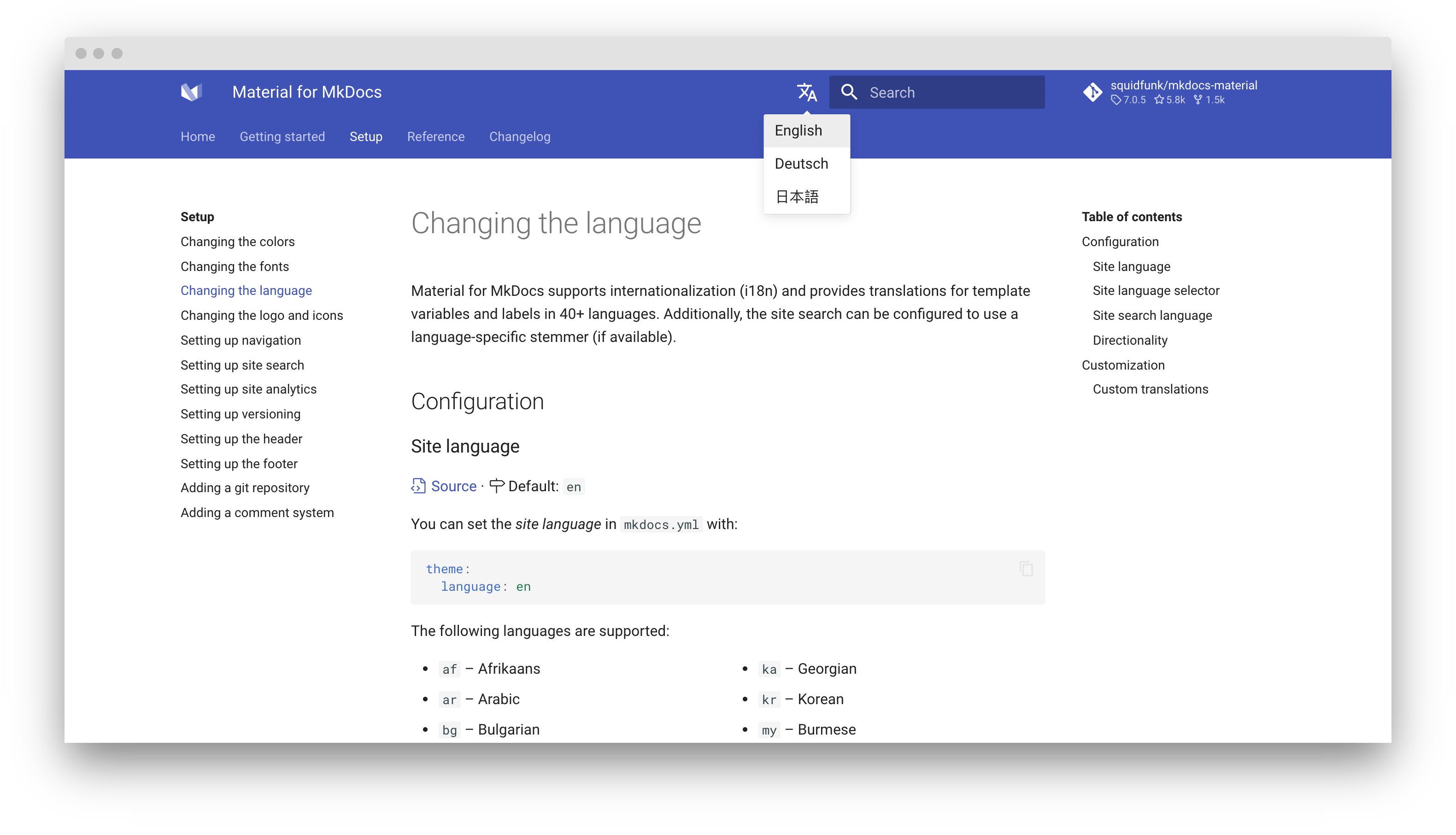
MaterialX for MkDocs supports internationalization (i18n) and provides translations for template variables and labels in 60+ languages. Additionally, the site search can be configured to use a language-specific stemmer, if available.
Configuration⚓︎
Site Language
Site Language⚓︎
You can set the site language in mkdocs.yml with:
- HTML5 only allows to set a single language per document, which
is why Material for MkDocs only supports setting a canonical
language for the entire project, i.e. one permkdocs.yml.
The easiest way to build a multi-language documentation is to
create one project in a subfolder per language, and then use the
language selector to interlink those projects.
The following languages are supported:
| Language | Code | Language | Code |
|---|---|---|---|
| 🇿🇦 Afrikaans | af |
🇮🇳 Kannada | kn |
| 🇦🇱 Albanian | sq |
🇰🇷 Korean | ko |
| 🇦🇪 Arabic | ar |
🇮🇶 Kurdish (Sorani) | ku-IQ |
| 🇦🇲 Armenian | hy |
🇱🇻 Latvian | lv |
| 🇦🇿 Azerbaijani | az |
🇱🇹 Lithuanian | lt |
| 🇲🇾 Bahasa Malaysia | ms |
🇱🇺 Luxembourgish | lb |
| 🇪🇸 Basque | eu |
🇲🇰 Macedonian | mk |
| 🇧🇾 Belarusian | be |
🇲🇳 Mongolian | mn |
| 🇧🇩 Bengali (Bangla) | bn |
🇳🇴 Norwegian Bokmål | nb |
| 🇧🇬 Bulgarian | bg |
🇳🇴 Norwegian Nynorsk | nn |
| 🇲🇲 Burmese | my |
🇮🇷 Persian (Farsi) | fa |
| 🇪🇸 Catalan | ca |
🇵🇱 Polish | pl |
| 🇨🇳 Chinese (Simplified) | zh |
🇵🇹 Portuguese | pt |
| 🇨🇳 Chinese (Traditional) | zh-Hant |
🇧🇷 Portuguese (Brazilian) | pt-BR |
| 🇹🇼 Chinese (Traditional, Taiwan) | zh-TW |
🇷🇴 Romanian | ro |
| 🇭🇷 Croatian | hr |
🇷🇺 Russian | ru |
| 🇨🇿 Czech | cs |
🇮🇳 Sanskrit | sa |
| 🇩🇰 Danish | da |
🇷🇸 Serbian | sr |
| 🇳🇱 Dutch | nl |
🇷🇸 Serbo-Croatian | sh |
| 🇺🇸 English | en |
🇱🇰 Sinhalese | si |
| 🇪🇺 Esperanto | eo |
🇸🇰 Slovak | sk |
| 🇪🇪 Estonian | et |
🇸🇮 Slovenian | sl |
| 🇫🇮 Finnish | fi |
🇪🇸 Spanish | es |
| 🇫🇷 French | fr |
🇸🇪 Swedish | sv |
| 🇪🇸 Galician | gl |
🇵🇭 Tagalog (Filipino) | tl |
| 🇬🇪 Georgian | ka |
🇮🇳 Tamil | ta |
| 🇩🇪 German | de |
🇮🇳 Telugu | te |
| 🇬🇷 Greek | el |
🇹🇭 Thai | th |
| 🇮🇱 Hebrew | he |
🇹🇷 Turkish | tr |
| 🇮🇳 Hindi | hi |
🇺🇦 Ukrainian | uk |
| 🇭🇺 Hungarian | hu |
🇵🇰 Urdu | ur |
| 🇮🇸 Icelandic | is |
🇺🇿 Uzbek | uz |
| 🇮🇩 Indonesian | id |
🇻🇳 Vietnamese | vi |
| 🇮🇹 Italian | it |
🏴 Welsh | cy |
| 🇯🇵 Japanese | ja |
Note that some languages will produce unreadable anchor links due to the way
the default slug function works. Consider using a Unicode-aware slug function.
Important
Note that some languages will produce unreadable anchor links due to the way the default slug function works. Consider using a Unicode-aware slug function.
Site Language Selector⚓︎
Multiple Language Documentation
If your documentation is available in multiple languages, a language selector pointing to those languages can be added to the header. Alternate languages can be defined via mkdocs.yml.
- Note that this must be an absolute link. If it includes a domain
part, it's used as defined. Otherwise the domain part of the
site_urlas set inmkdocs.ymlis prepended to the link.
Available Properties Alternate Languages
The following properties are available for each alternate language:
-
This value of this property is used inside the language selector as the name of the language and must be set to a non-empty string.
-
This property must be set to an absolute link, which might also point to another domain or subdomain not necessarily generated with MkDocs.
-
This property must contain an ISO 639-1 language code and is used for the
hreflangattribute of the link, improving discoverability via search engines.
Stay on Page⚓︎
Stay on Page
When switching between languages, e.g., if language en and de contain a page with the same path name, the user will stay on the current page:
docs.example.com/en/     -> docs.example.com/de/
docs.example.com/en/foo/ -> docs.example.com/de/foo/
docs.example.com/en/bar/ -> docs.example.com/de/bar/
No configuration is necessary.
Directionality⚓︎
Directionality
While many languages are read ltr (left-to-right), Material for MkDocs also supports rtl (right-to-left) directionality which is deduced from the selected language, but can also be set with:
Click on a tile to change the directionality:
Customization⚓︎
Custom Translations⚓︎
Custom Translations
If you want to customize some of the translations for a language, just follow the guide on theme extension and create a new partial in the overrides folder. Then, import the translations of the language as a fallback and only adjust the ones you want to override:
<!-- Import translations for language and fallback -->
{% import "partials/languages/de.html" as language %}
{% import "partials/languages/en.html" as fallback %} <!-- (1)! -->

<!-- Define custom translations -->
{% macro override(key) %}{{ {
  "source.file.date.created": "Erstellt am", <!-- (2)! -->
  "source.file.date.updated": "Aktualisiert am"
}[key] }}{% endmacro %}

<!-- Re-export translations -->
{% macro t(key) %}{{
  override(key) or language.t(key) or fallback.t(key)
}}{% endmacro %}
-
Note that
enmust always be used as a fallback language, as it's
the default theme language. -
Check the list of available languages, pick the translation you want to override for your language and add them here.